Struggling to recall which of the 23 Gang of Four (GoF) design patterns to apply in your next project? You're not alone. Many developers waste hours memorizing creational patterns, structural patterns, and behavioral patterns instead of solving real problems. The good news? You don't need to memorize anything.
Use this practical decision tree for design patterns to quickly identify the right solution based on your problem. This approach turns design patterns from a rote memory exercise into a logical, problem-solving tool—perfect for object-oriented design, software engineering best practices, and scalable code architecture.
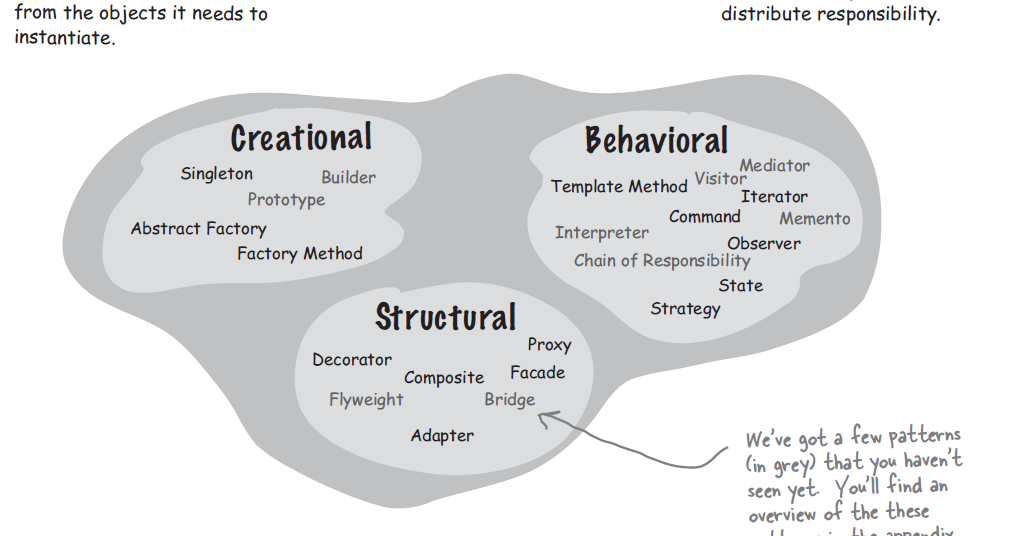
Why Memorizing Design Patterns Fails (And What Works Instead)
Design patterns are reusable solutions to common software design problems in object-oriented programming. Created by the Gang of Four (Erich Gamma, Richard Helm, Ralph Johnson, and John Vlissides), they cover everything from object creation to efficient communication.
But here's the truth: Memorizing 23 patterns leads to confusion. You end up forcing the wrong pattern into your code, creating over-engineered messes.
Instead, follow a decision tree. Ask targeted questions about your problem, and it guides you straight to the perfect pattern. No flashcards required.
This method is especially useful for:
- Choosing the right creational design patterns (object creation)
- Picking structural design patterns (class/object composition)
- Selecting behavioral design patterns (object interaction and algorithms)
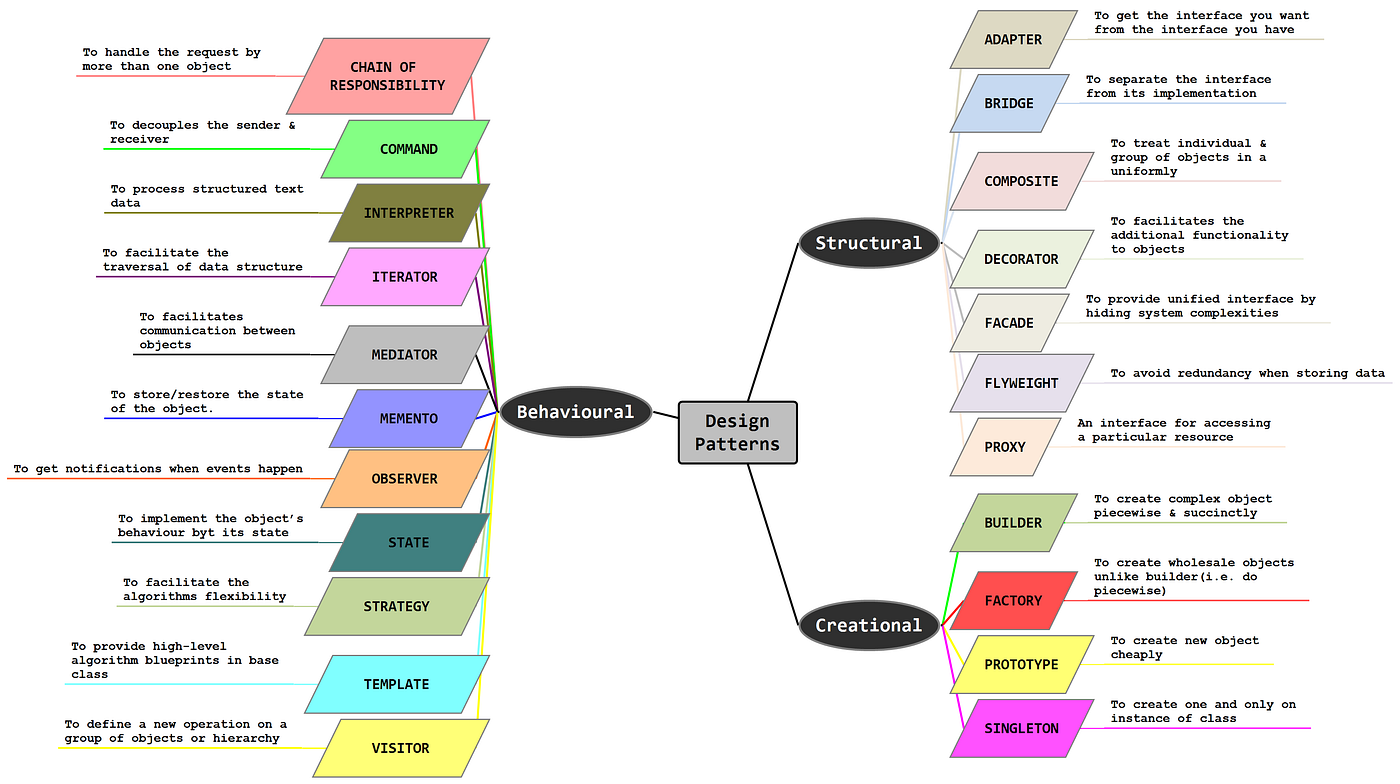
Your Decision Tree for Choosing Design Patterns
Start at the root: What is the core problem you're solving?
1. Object Creation? → Creational Patterns
If your code is cluttered with new keywords or you need flexibility in instantiating objects:
- Only one instance allowed? → Singleton (global access point)
- Create objects without specifying exact class? → Factory Method
- Family of related objects? → Abstract Factory
- Complex, step-by-step construction? → Builder
- Clone existing objects efficiently? → Prototype

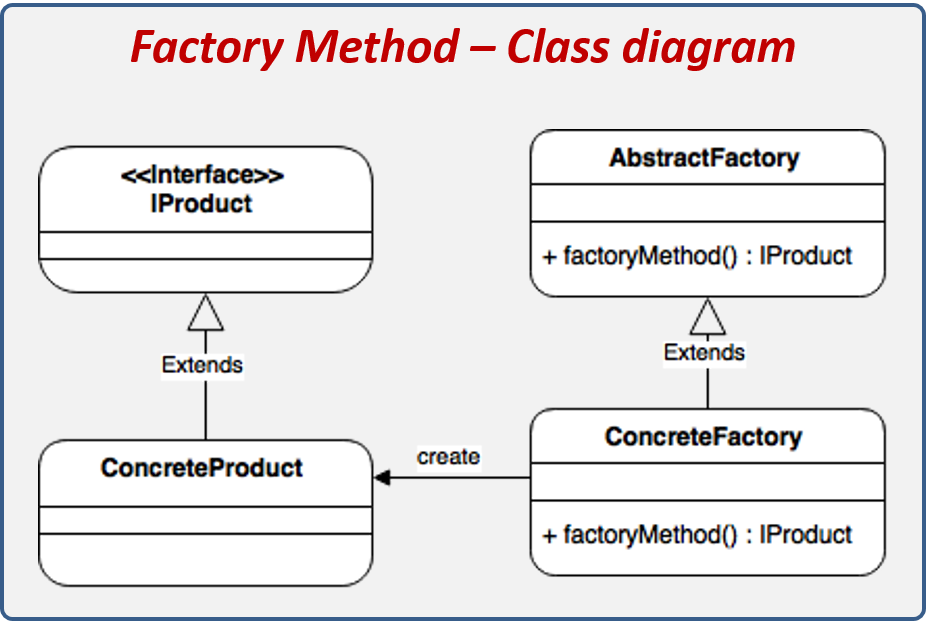
2. Class or Object Structure Issues? → Structural Patterns
If interfaces don't match, hierarchies are messy, or you need to add behavior dynamically:
- Incompatible interfaces? → Adapter
- Separate abstraction from implementation? → Bridge
- Tree-like object hierarchies? → Composite
- Add responsibilities at runtime? → Decorator
- Simplify a complex subsystem? → Facade
- Share fine-grained objects to save memory? → Flyweight
- Control access to an object? → Proxy

3. Object Interaction or Algorithm Flexibility? → Behavioral Patterns
If objects need to communicate, change behavior dynamically, or distribute responsibilities:
- Pass requests along a chain? → Chain of Responsibility
- Encapsulate a request as an object? → Command
- Traverse collections uniformly? → Iterator
- Notify multiple objects of changes? → Observer
- Change behavior based on internal state? → State
- Swap algorithms at runtime? → Strategy
- Define skeleton algorithm in base class? → Template Method
- Add new operations without changing classes? → Visitor
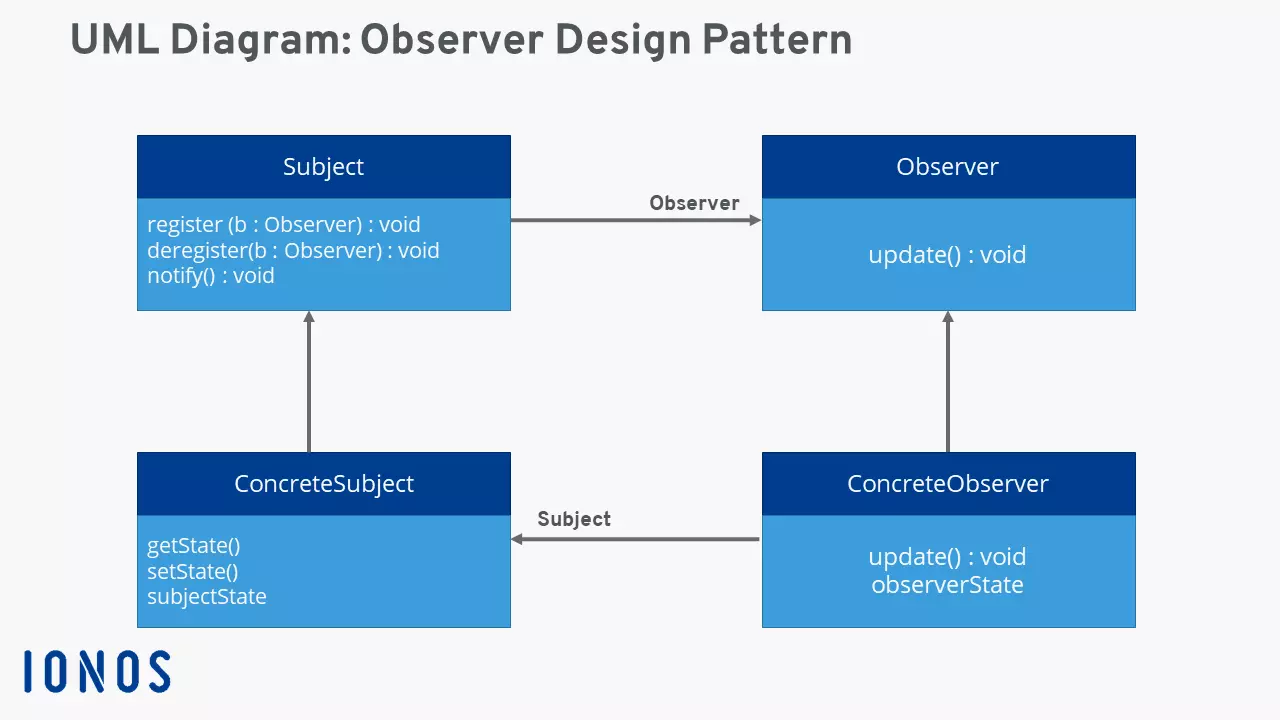
Real-World Example: Applying the Decision Tree
Imagine you're building an e-commerce app. You need to:
- Create different payment processors without hardcoding classes → Factory Method (creational).
- Make a complex order object with many optional parameters → Builder (structural fix for "too many args").
- Notify users, admins, and analytics when an order changes → Observer (behavioral).
Follow the tree → zero memorization → clean, maintainable code.
Benefits of the Decision Tree Approach
- Faster decisions: No more "which pattern was that again?"
- Better code: Patterns fit naturally instead of being forced.
- Scalable learning: Understand why a pattern exists, not just its name.
- SEO bonus for developers: Mastering "how to choose design patterns" makes you stand out in interviews and code reviews.
Ready to Ditch the Memorization?
Print the decision tree diagram above, stick it on your wall (or bookmark this post), and watch your design skills level up instantly. The next time you're stuck, ask: "What's the problem?" and let the tree guide you.


No comments:
Post a Comment